set match-hidden-files off
Pretty useful for me since, if you have a lot of applications installed then each of them would most probably have a hidden file (configuration) in your home directory.
set match-hidden-files off
$ sudo /usr/sbin/timeconfig
/etc/locatime -> /usr/share/zoneinfo/Asia/Kolkata
Set display size in the xorg.conf file under section Monitor. X needs the display size in mm. So if your monitor resolution is 1360x768, then the display width for 100dpi would be 1360*.254 and for length : 768*.254
Section "Device"
.
.
Option "DPI" "100x100
End Section
Section "Monitor"
.
.
Identifier "Monitor0"
DisplaySize 345 195 # 1360x768 100dpi
.
.
End Section
Xft.antialias: 1and that seemed to help the general look and feel of fluxbox (running on Slackware 12.1)
Xft.hinting: 0
Xft.hintstyle: hintnone
Xft.rgba: none
"..it makes sure that you are just as free to remove nasty features as the distributor of your copy was to add them."5. It also resists the threat of patent deals like Novell-M$ deal. Releasing a program under GPLv3 protects it from future Microsoft's future attempts to make redistributors collect royalties from program's users.
The only way to make software development safe is to abolish software patents, and we aim to achieve this some day. But we cannot do this through a software license. Any program, free or not, can be killed by a software patent in the hands of an unrelated party, and the program's license cannot prevent that. Only court decisions or changes in patent law can make software development safe from patents. If we tried to do this with GPLv3, it would fail.
font.FreeType2.autohinted true
font.FreeType2.enable true
font.FreeType2.unhinted false
apt-cache searchFor e.g. to search for superkaramba use
apt-cache search karambaand I get a response like this
libu@toxicware:~$ apt-cache search karamba
karamba - A program improving the eyecandy of KDE
memaid-pyqt - memorization tool with optimal question scheduling
superkaramba - a program based on karamba improving the eyecandy of KDE
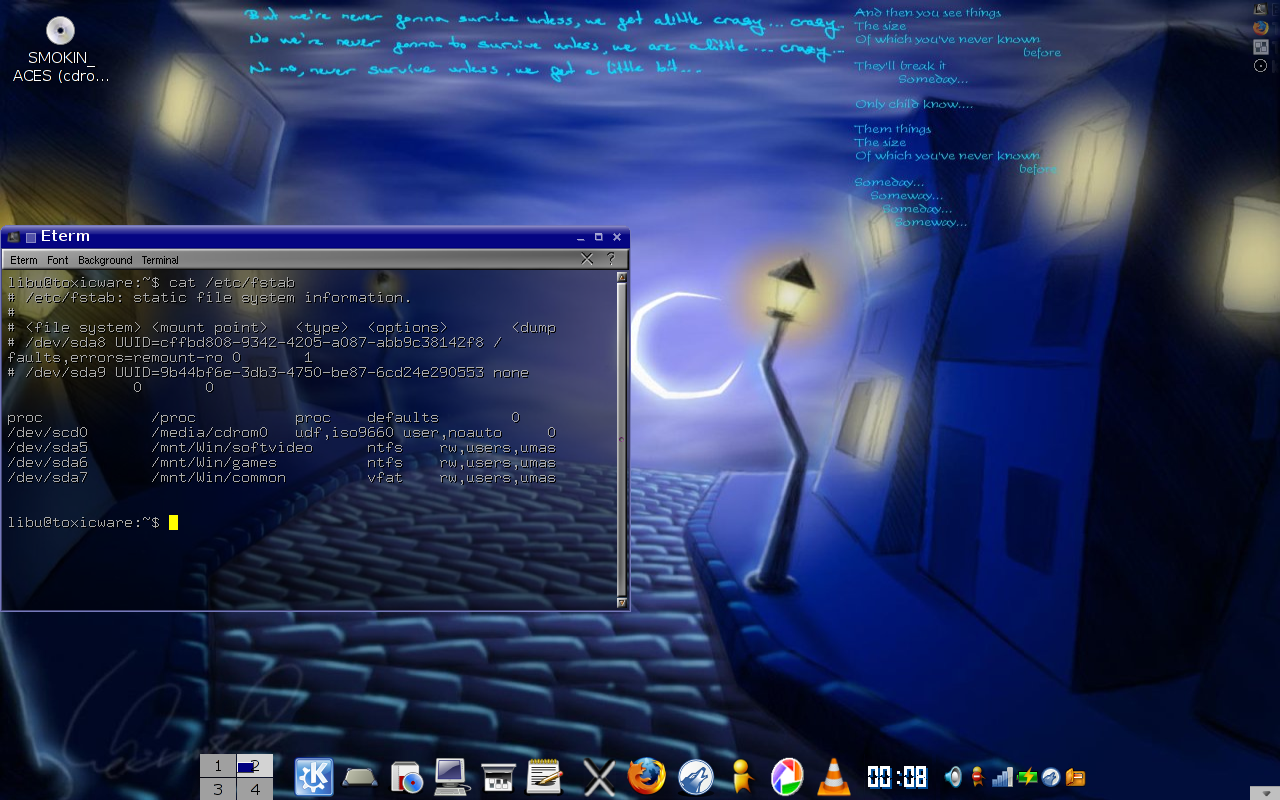
1st Column - This is the device/filesystem to be mounted (e.g. /dev/sda, foo.test.in:/home/test/)Initially I created the following /etc/fstab:
2nd Column - This is the mount point for the filesystem, i.e. where we want to mount the device or fielsystem on the system (e.g. /mnt/Win/common)
3rd Column - Type of the filesystem i.e. to be mounted (vfat, ntfs, e.t.c.)
4th Column - A comma separated list of mount options for the filesystem.
Some common options (from manpage of fstab):
noauto - this means do not mount the filesystem on boot
user - allow a user to mount
owner - allow device owner to mount
5th Column - This field is used by dump command to determine which filesystems needs to be dumped. If '0' then filesystem does not need to be dumped.
6th Column - Used by fsck program to determine the order in which filesystem checks are to be done during reboot. If no value is specified then fsck will not check this filesystem. (NOTE: Linux automatically does an fsck check if the filesystem has been mounted, unmounted for a specific number of times.)
proc /proc proc defaults 0 0And my designated mount points at the moment have the following permissions and owners:
/dev/scd0 /media/cdrom0 udf,iso9660 user,noauto 0 0
/dev/sda5 /mnt/Win/softvideo ntfs rw,users 0 0
/dev/sda6 /mnt/Win/games ntfs rw,users 0 0
/dev/sda7 /mnt/Win/common vfat rw,users 0 0
libu@toxicware:/$ ll mnt/Now when I run the command "sudo mount -a", the directory structure changes as follows:
total 4
drwxr-xr-x 5 libu libu 4096 2007-05-27 01:19 Win
libu@toxicware:/$ ll mnt/*
total 12
drwxr-xr-x 2 libu libu 4096 2007-05-27 01:19 common
drwxr-xr-x 2 libu libu 4096 2007-05-27 01:19 games
drwxr-xr-x 2 libu libu 4096 2007-05-27 01:19 softvideo
libu@toxicware:/$ ls -l mntI'm not sure why common has different directory permission from games and softvideo. The only reason I can think of is 'coz its a vfat filesystem.
total 4
drwxr-xr-x 5 libu libu 4096 2007-05-27 01:19 Win
libu@toxicware:/$ ls -l mnt/Win
total 20
drwxr-xr-x 13 root root 4096 1969-12-31 19:00 common
dr-x------ 1 root root 8192 2007-05-24 18:44 games
dr-x------ 1 root root 8192 2007-05-24 18:44 softvideo
proc /proc proc defaults 0 0So now after mounting the directory ownership and permissions read as follows:
/dev/scd0 /media/cdrom0 udf,iso9660 user,noauto 0 0
/dev/sda5 /mnt/Win/softvideo ntfs rw,users,umask=0 0 0
/dev/sda6 /mnt/Win/games ntfs rw,users,umask=0 0 0
/dev/sda7 /mnt/Win/common vfat rw,users,umask=0 0 0
libu@toxicware:/mnt$ ls -l Win/So now I can access the directories as a normal user as well as write into the vfat common directory.
total 20
drwxrwxrwx 13 root root 4096 1969-12-31 19:00 common
dr-xr-xr-x 1 root root 8192 2007-05-24 18:44 games
dr-xr-xr-x 1 root root 8192 2007-05-24 18:44 softvideo


$/> sudo iwconfig eth0 essid anyThen I had to get a valid IP from the Access Point
$/> sudo dhclient eth0This configured the wireless card and I was online. Now onto install the fglrx drivers from the Ubuntu Repositories
$/> sudo apt-get install xorg-driver-fglrxNext update module dependencies
$/> sudo depmode -aNext configure the card through the ATI provided app
$/> sudo aticonfig --initialNext the Ubuntu Wiki recommends to setup overlay
$/> sudo aticonfig --overlay-type=XvThe Wiki also makes a note that since ATI does not provide correct drivers Composite Extension will not work, so disable composite extension in the xorg.conf file (Check the Wiki).